Product How it works Demo Technology Story FAQ Open the app

A pro coach in your pocket

Improve faster with instant technique feedback.

Film your boulder with your phone. ClimbAI measures your movement, tells you what to fix first, and shows the evidence. In about a minute, in the gym or at home.

700+ climbers · Trained with 5 certified coaches · Peer-reviewed research · Built by ALNEVIS

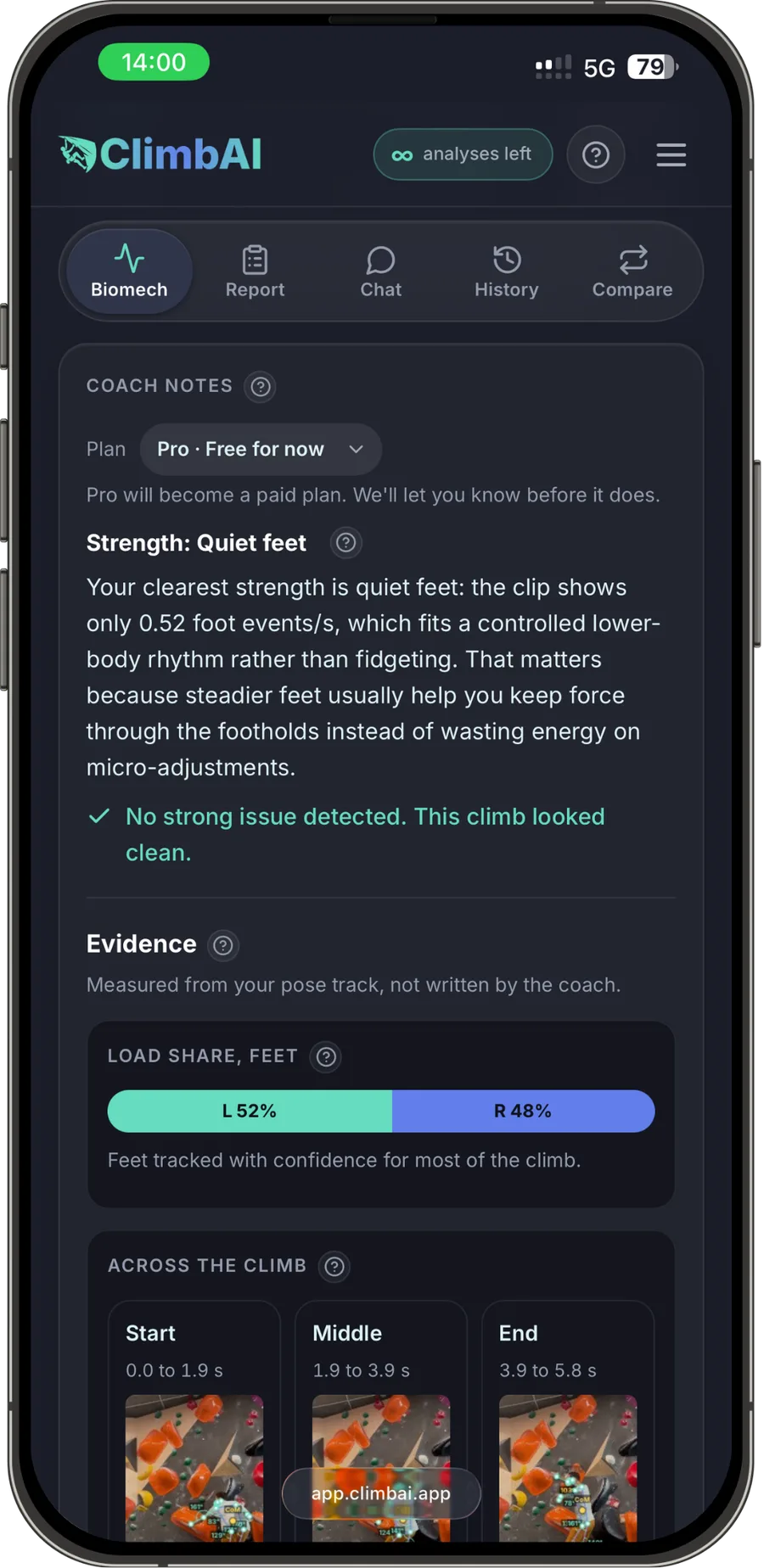
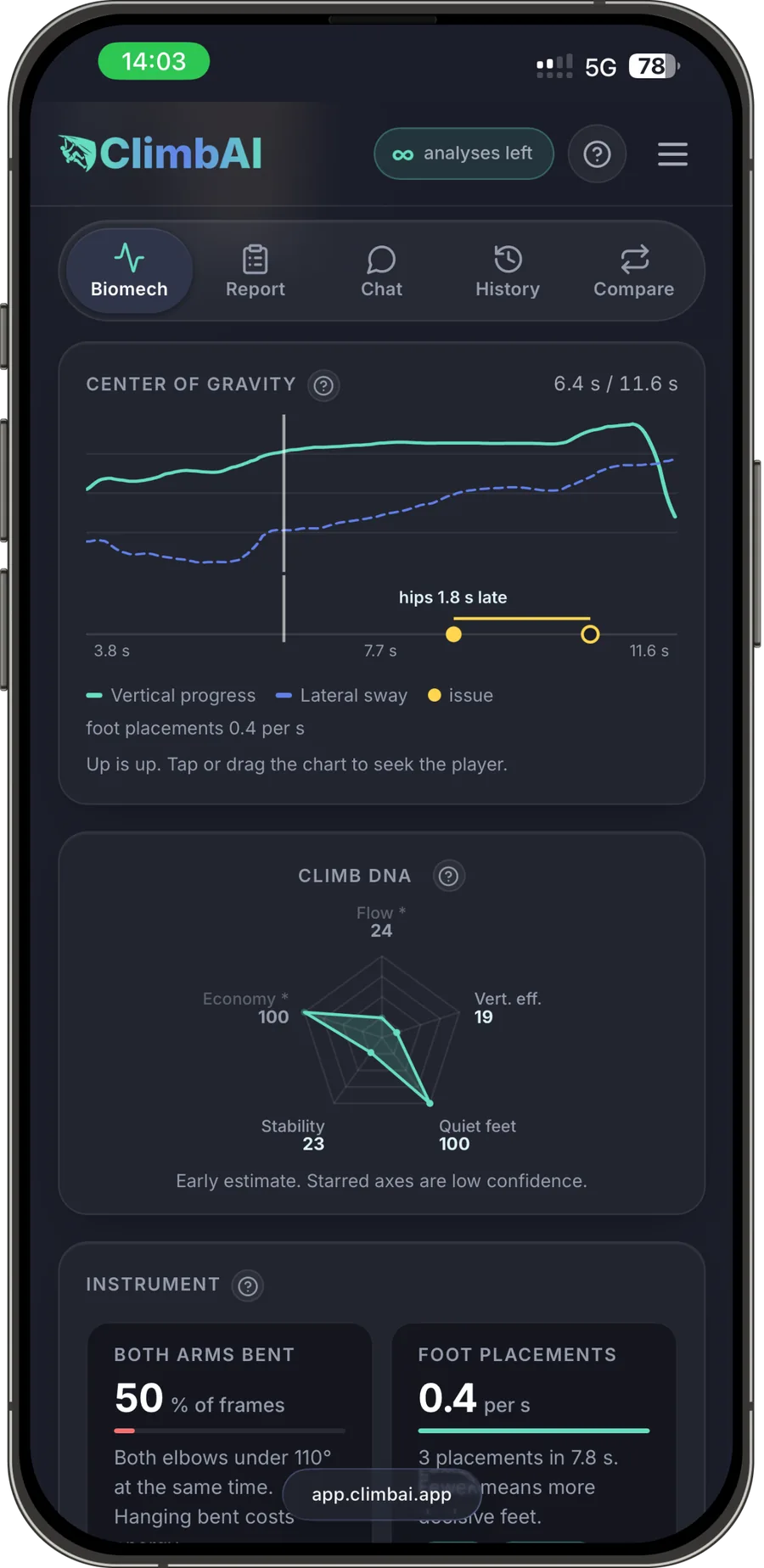
ClimbAI coach notes screen with a strength, an issue check and the measured evidence ClimbAI biomechanics screen with the centre-of-gravity chart and the movement radar ClimbAI pose overlay on a boulder attempt, with joint angles and the centre of gravity marked on the climber
Real screens from the app: pose and joint angles on your video, coach notes with their evidence, centre-of-gravity path and movement radar.

Sound familiar?

Strong fingers aren’t everything.

  • You project the same grade for months.You are strong enough. Something in your technique is off, and you cannot see what.
  • You know you fell. Not why.Watching the video back shows the fall, not the hips that drifted off the wall two moves earlier.
  • Your coach cannot be at every session.And “keep your arms straight” from a friend does not move the needle.

ClimbAI shows you what a coach would see, measured from your own video. So you stop guessing and start fixing the right thing.

How it works

Stop guessing why you fell.

Three steps. The only gear is your phone.

01

Record or upload

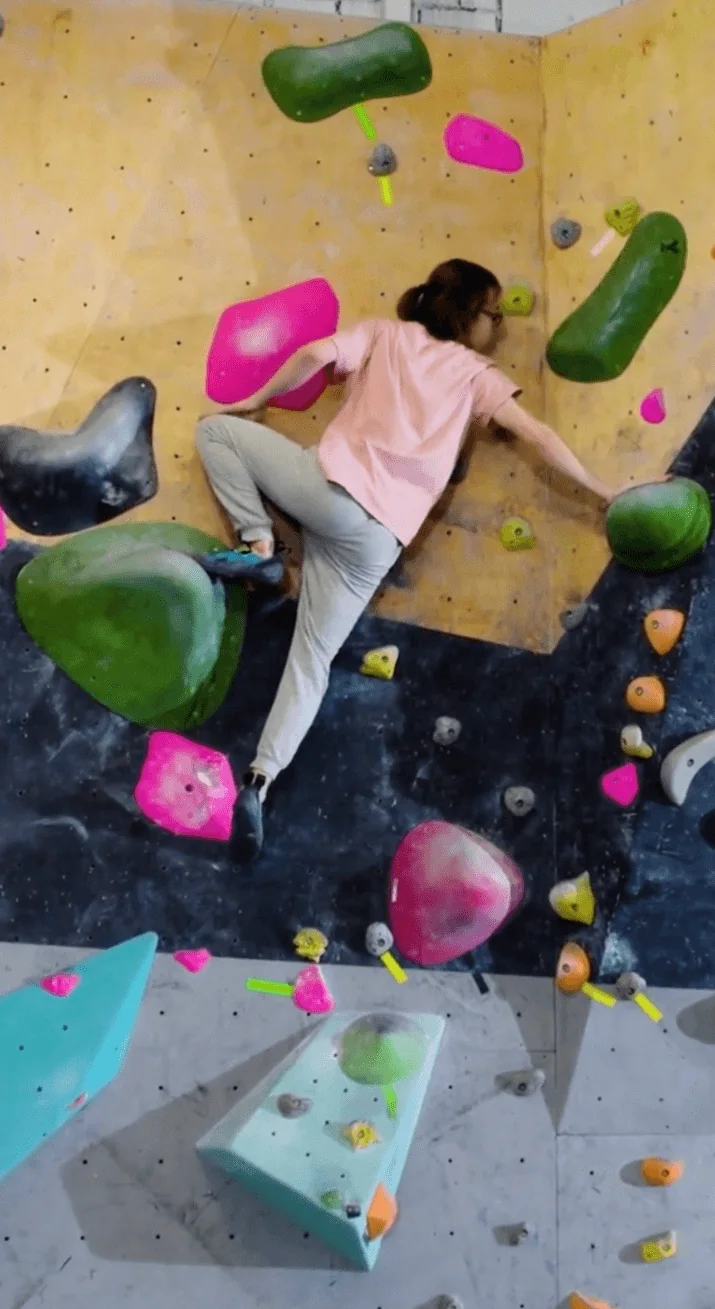
Film the go during your session, or pick a clip from your gallery later. A steady, full-body view is all it takes.

A phone video frame of a climber on an indoor boulder
02

Analyse

ClimbAI tracks every joint through the climb and measures angles, asymmetry, timing and the path of your centre of gravity.

ClimbAI biomechanics screen with the centre-of-gravity chart and the movement radar
03

Go again, smarter

Read what worked, what to fix first and the evidence behind it. Then try the move again with one clear thing to change.

ClimbAI coach notes with a strength, an issue check and the measured evidence

Demo

From a phone video to a full analysis.

Watch a real attempt go through ClimbAI, from upload to feedback.

What ClimbAI does

A coach that shows its work.

Every note is tied to a measurement from your own pose track. No generic tips.

01

Pose and joint angles, on your own video.

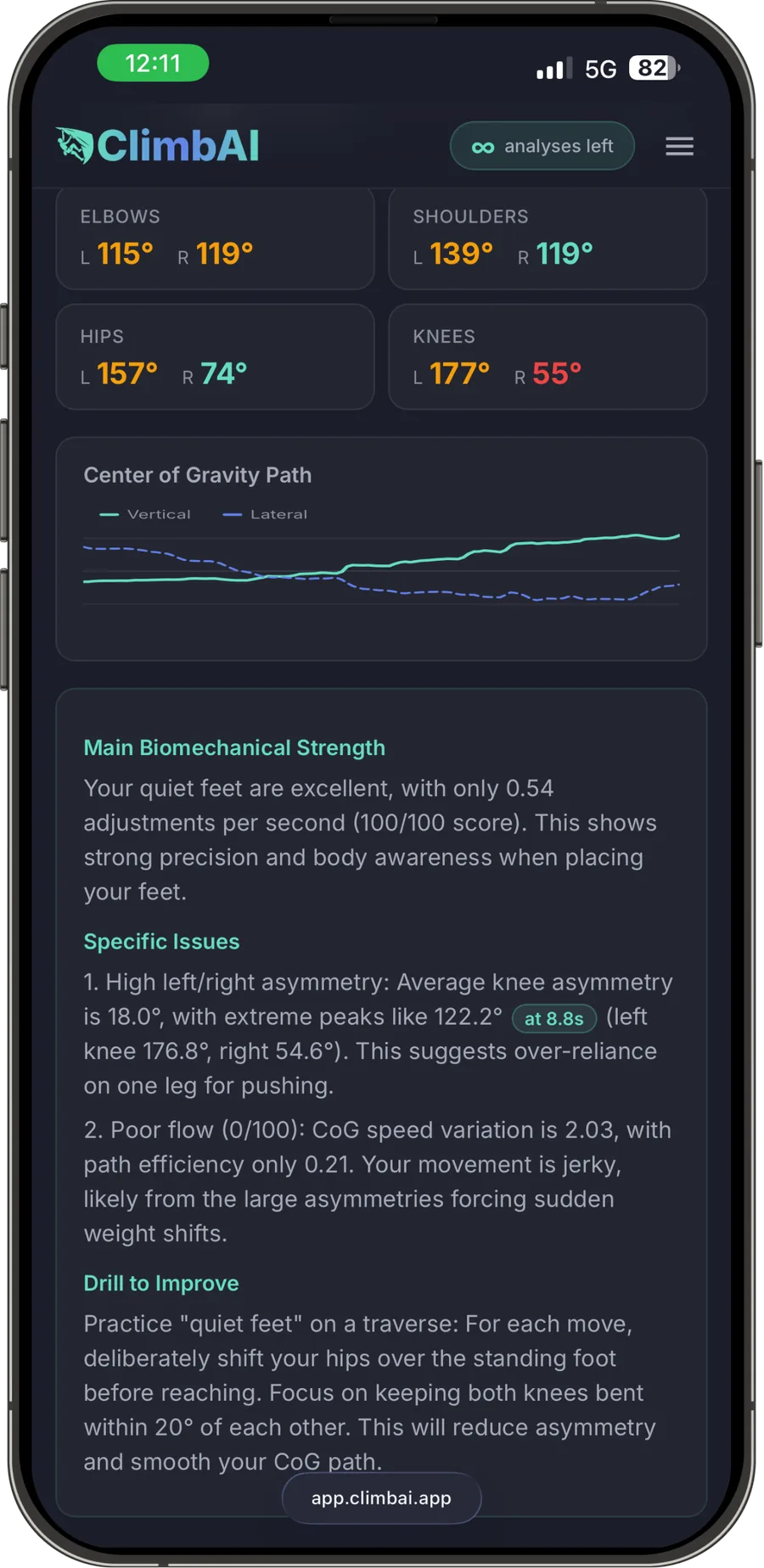
Every frame is analysed to find the body’s joints. Elbows, shoulders, hips and knees are measured left and right, the centre of gravity is traced through the climb, and a biomechanical read explains what the numbers mean for your movement.

  • Elbows, shoulders, hips and knees, left and right
  • Centre of gravity traced through the whole climb
  • A biomechanical read: main strength, specific issues, drill to improve
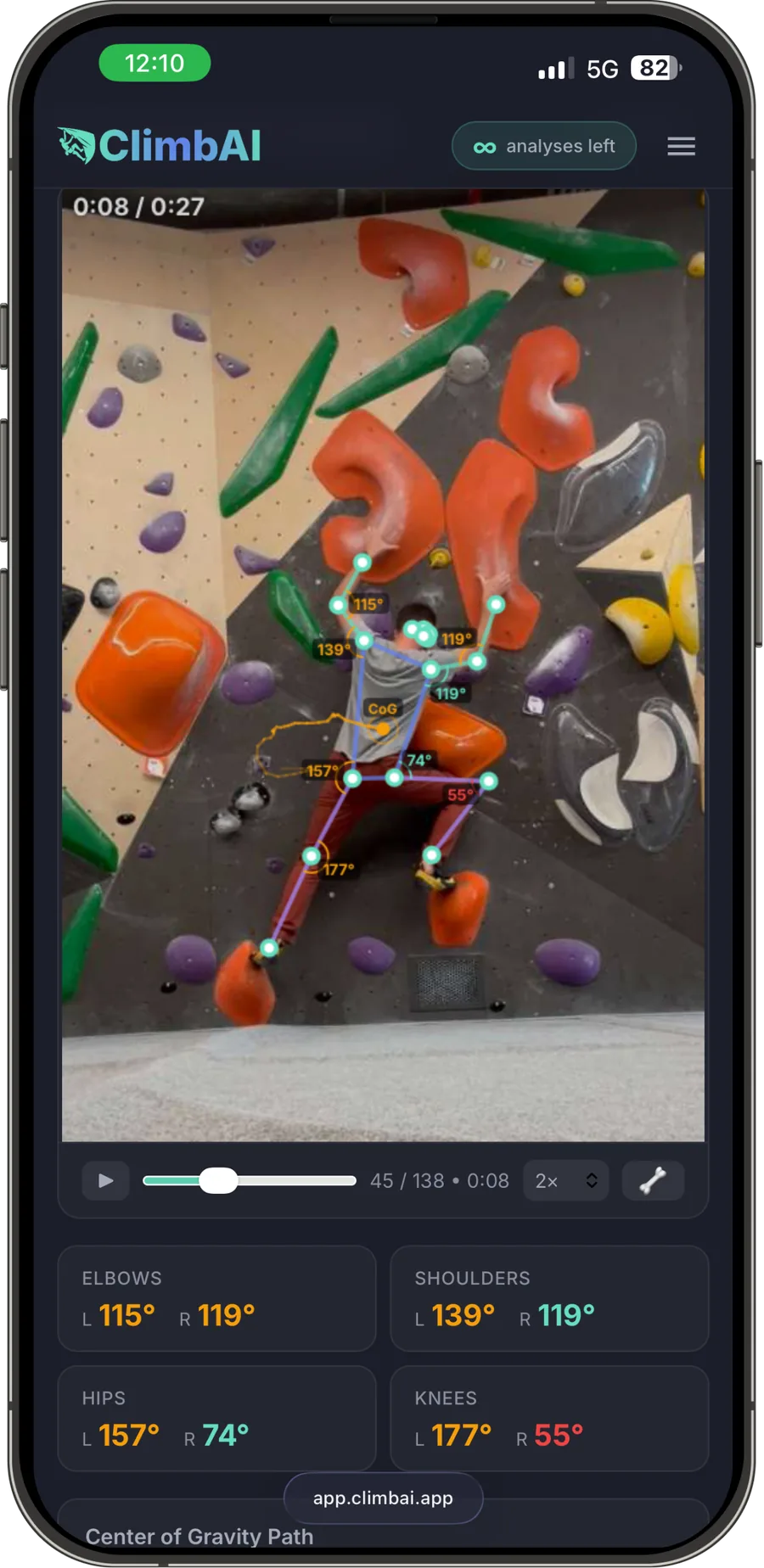
ClimbAI pose overlay on a boulder attempt, with joint angles and the centre of gravity marked on the climber ClimbAI screen with left and right joint angles, the centre-of-gravity path and the biomechanical read
Pose and joint angles on the video, then the measured read: angles left and right, centre-of-gravity path, strength, issues and drill.
02

Biomechanics, measured.

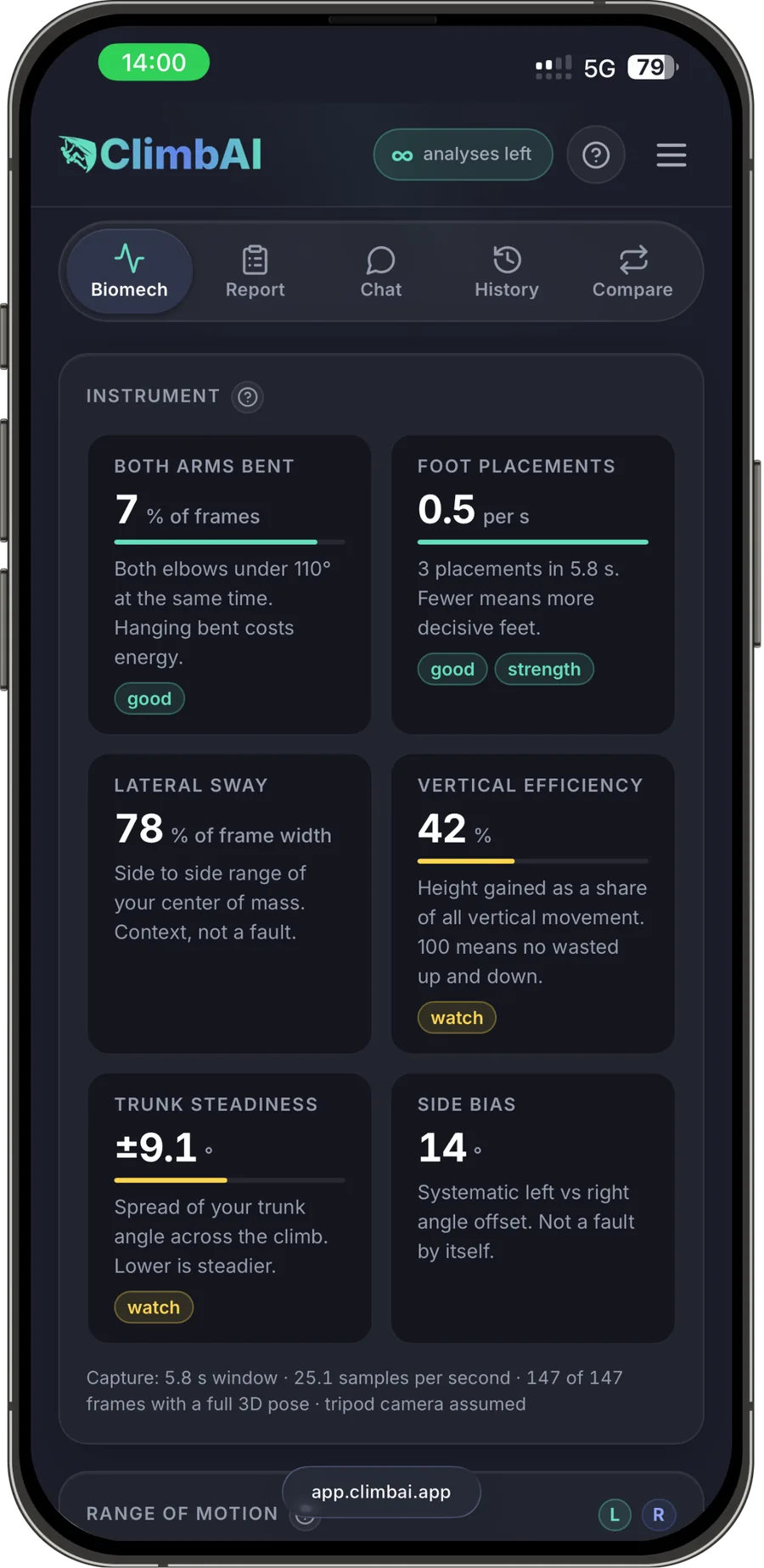
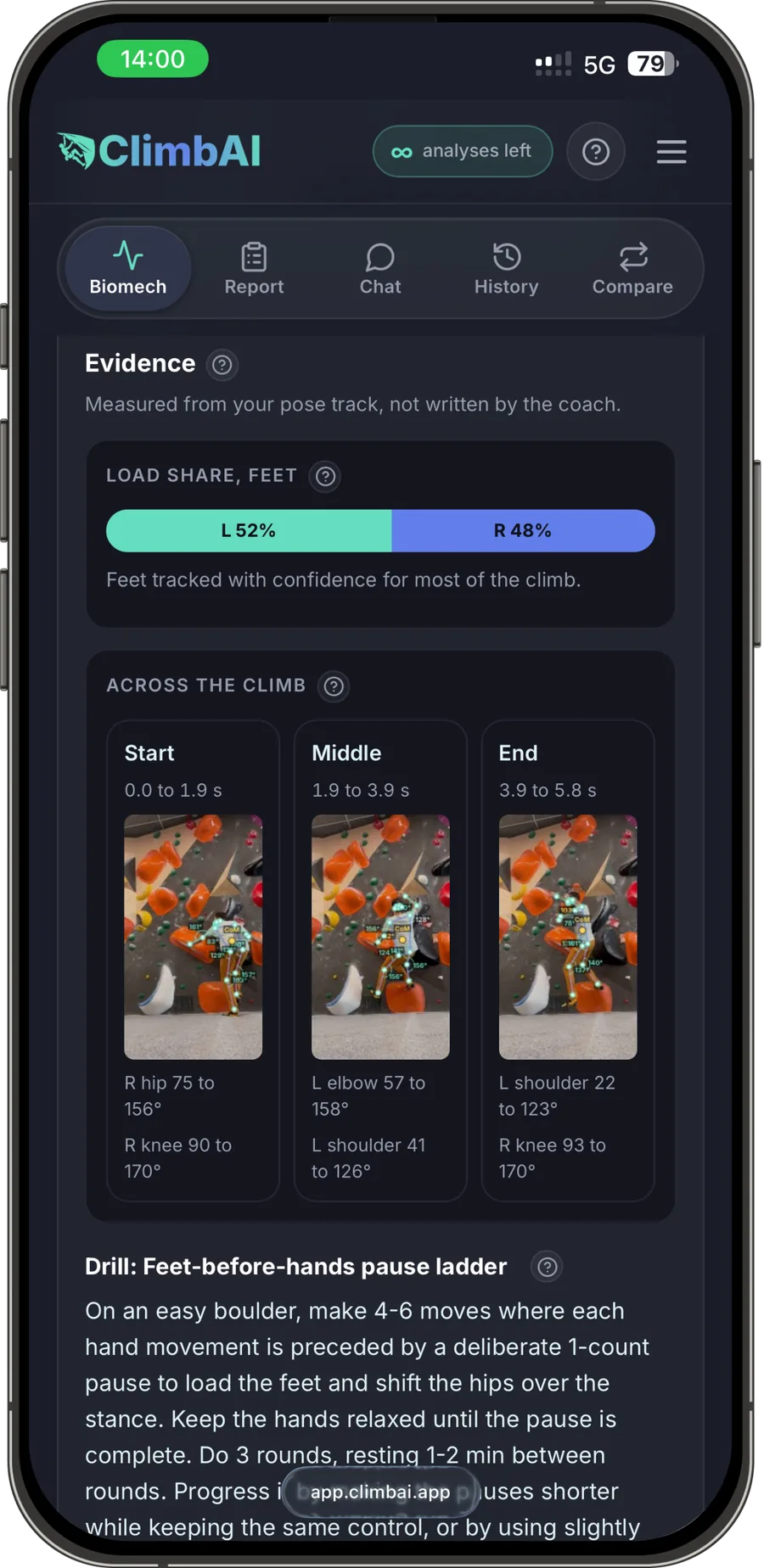
Time with both arms bent, foot placements, lateral sway, vertical efficiency, trunk steadiness and side bias, each with a one-line explanation. The evidence is measured from your pose track, with the start, middle and end of the climb side by side.

  • Both arms bent, foot placements, lateral sway, vertical efficiency, trunk steadiness, side bias
  • Good, watch and work-on labels, so you know where to look
  • Evidence from your pose track: load share, and the climb in three phases
ClimbAI instrument panel with six biomechanical metrics, each explained in one line ClimbAI evidence panel with feet load share, the climb in three phases and a drill
Instrument metrics and the evidence panel, with load share and the climb in three phases.
03

Technique feedback, written the way a coach would say it.

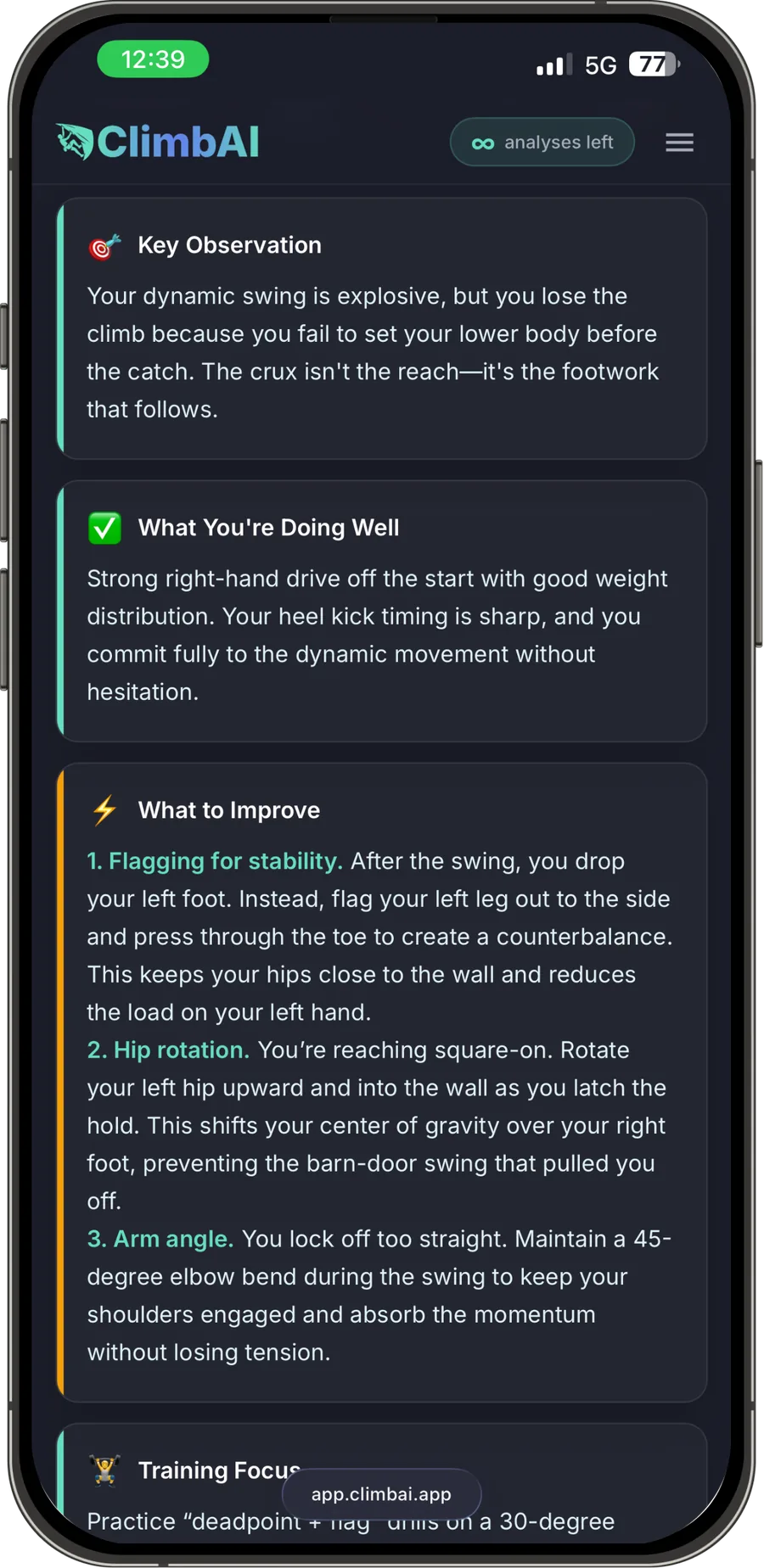
One key observation about the attempt. What you are doing well. What to improve, in order, with the reason behind each point. Then a training focus to take into your next session.

  • Key observation, strengths and what to improve, in order
  • Written the way a coach talks, with the reason behind each point
  • A training focus and a drill for your next session
ClimbAI technique report: key observation, what you are doing well, what to improve and training focus ClimbAI coach notes: a strength to keep, an issue check and the evidence measured from the pose track
Technique report and coach notes: observation, strengths, what to improve, and the evidence behind each note.
04

Two attempts, side by side.

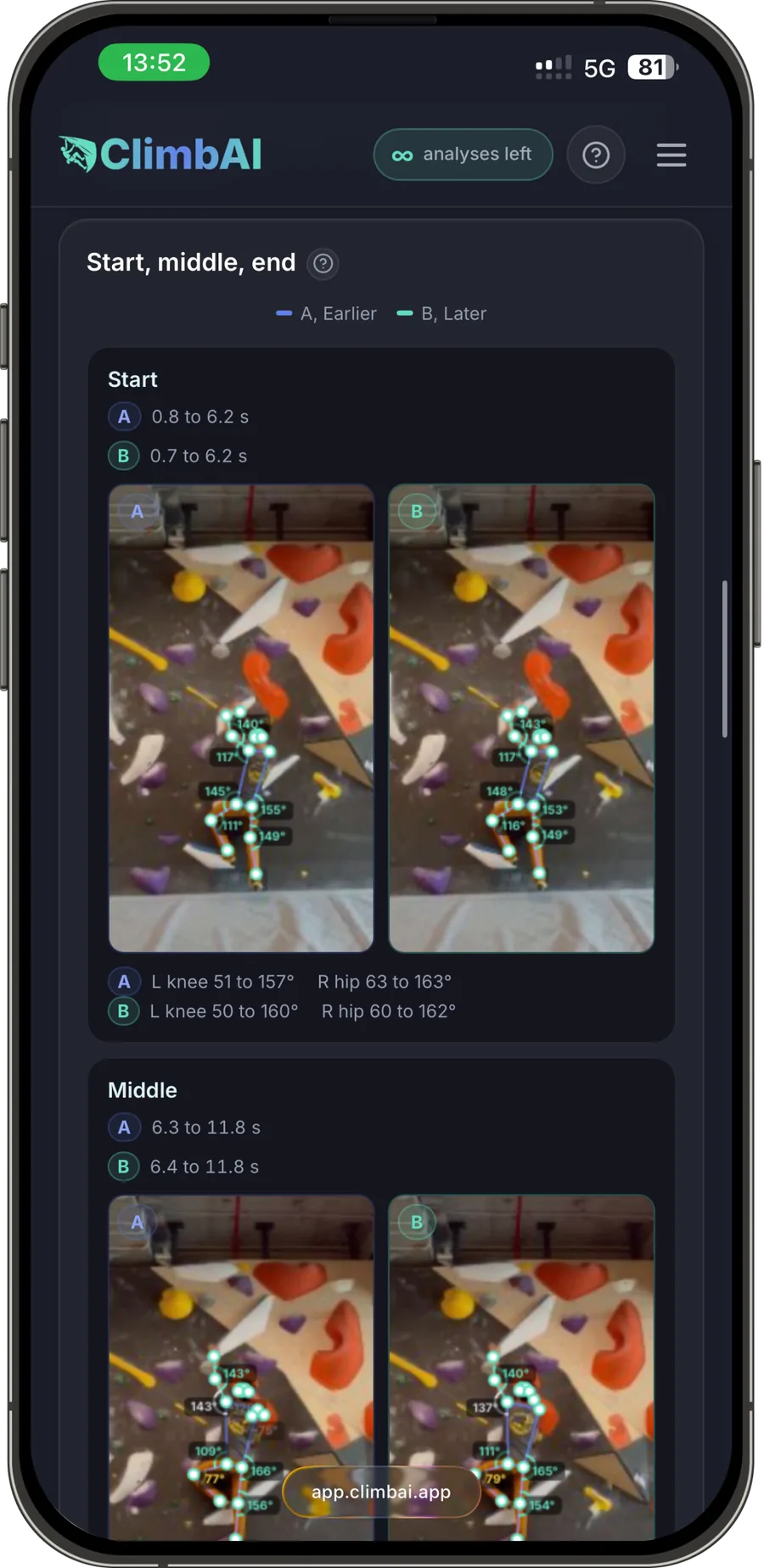
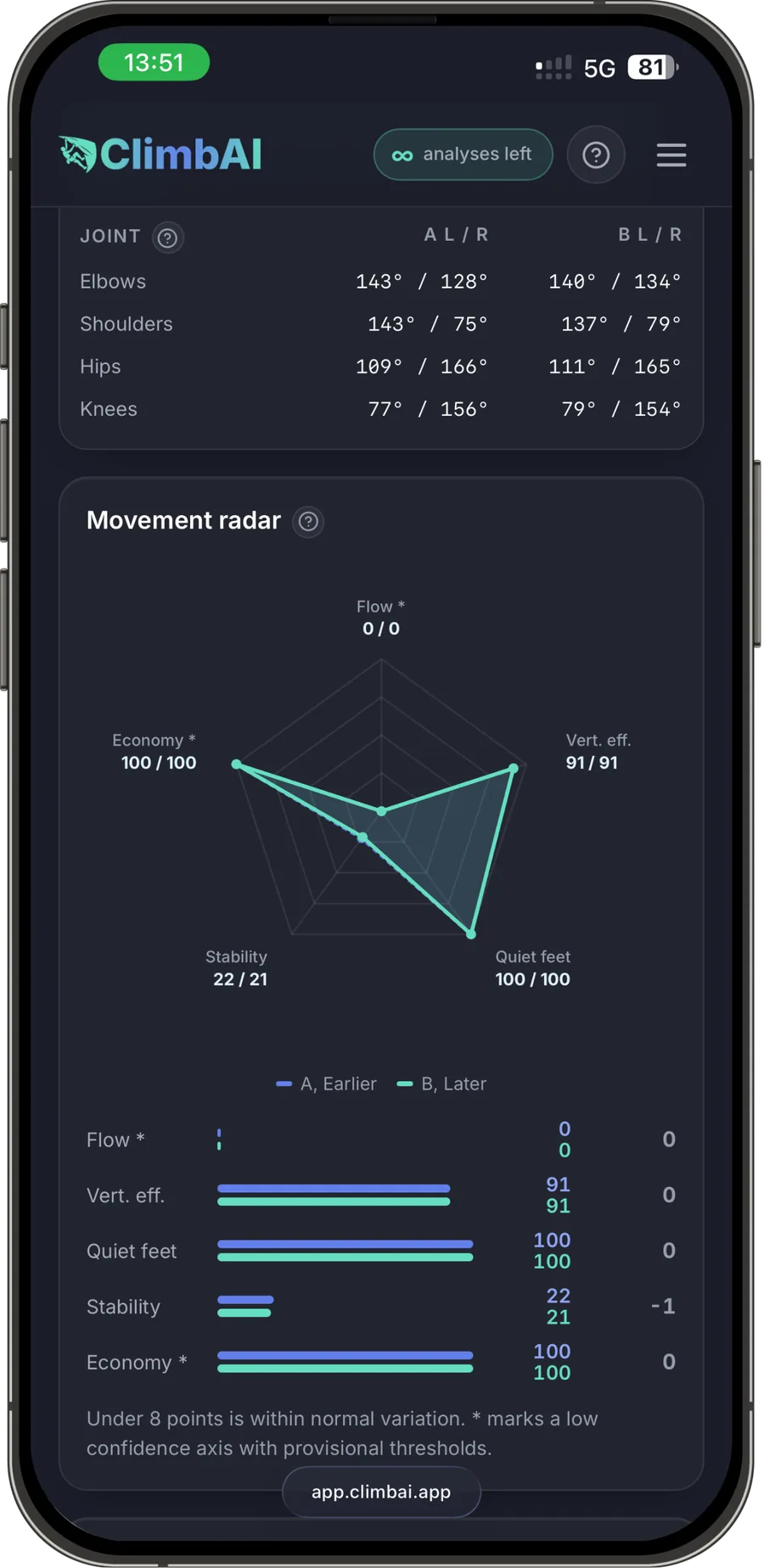
Pick an earlier and a later attempt. ClimbAI aligns them phase by phase, start, middle and end, with the same joints and angles on both. A joint table and a movement radar show what actually changed, so you know whether the new beta helped.

  • A and B aligned by phase, with the same joints and angles
  • Joint table and movement radar for both attempts
  • Feet load share and centre-of-gravity charts overlaid
ClimbAI compare screen with attempts A and B aligned at the start and middle of the climb ClimbAI compare screen with the joint table and the movement radar for both attempts
Frames aligned by phase, joint table and movement radar for attempts A and B.
05

Progress over time.

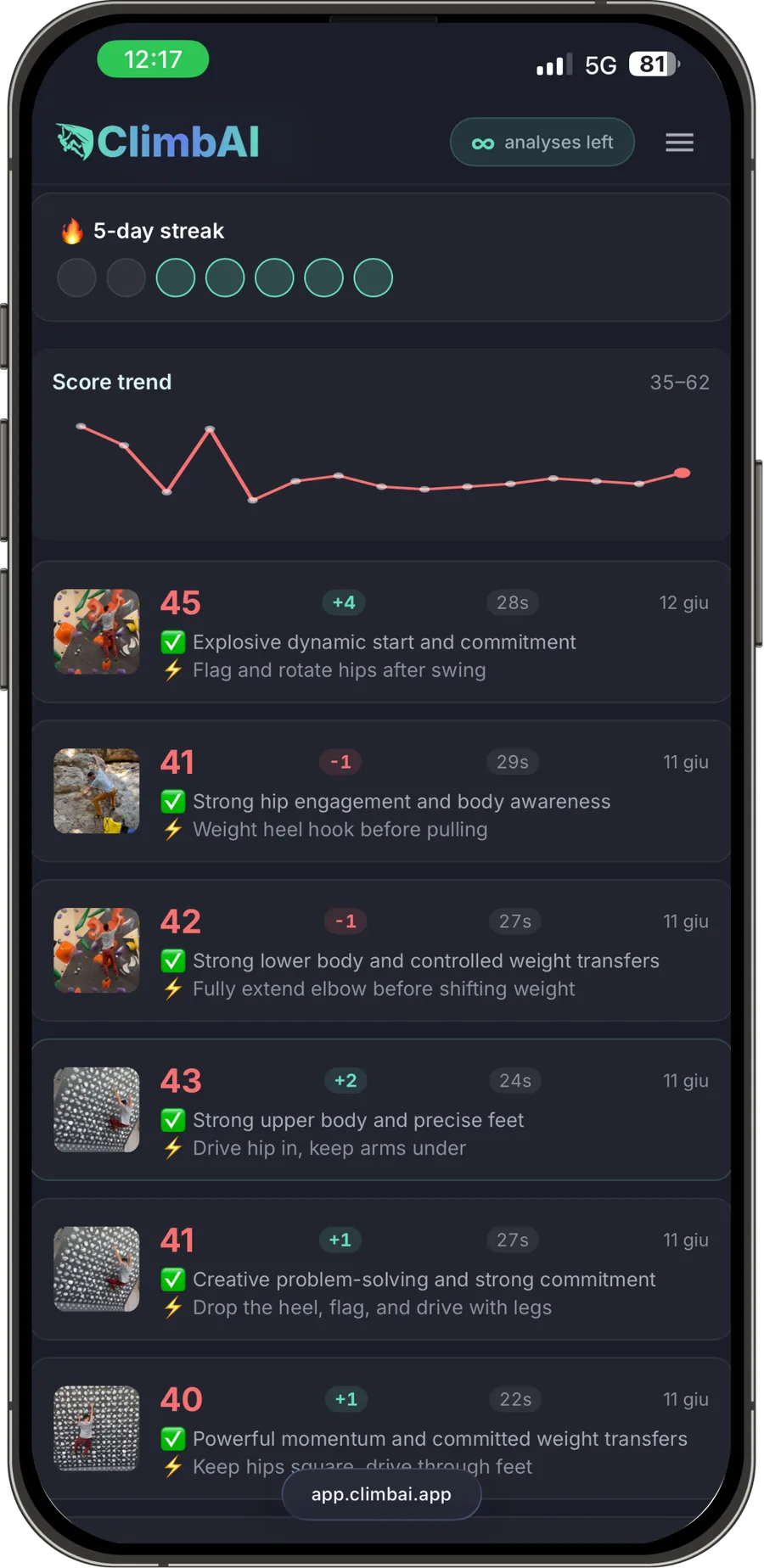
Each analysis gets a score and goes into your history. The trend shows how your climbing changes from one session to the next, and streaks make it easier to keep showing up. If something in an analysis is unclear, a chat tab lets you ask about it.

  • A score for every analysis, with the delta from last time
  • Score trend across sessions, and streaks to keep you going
  • A chat tab to ask about any analysis
ClimbAI history screen with a streak, the score trend and a list of analysed attempts
History with scores, deltas and the score trend across sessions.

Technology

Trained by coaches. Validated by science.

ClimbAI is not a chatbot with a climbing prompt. It runs on two proprietary components, trained on climbers’ videos annotated by certified coaches.

A vision-language model for climbing

Trained on climbing footage with professional coaching input, it writes the technique feedback the way a coach would, and checks it against the measurements before it reaches you.

A biomechanics engine

It tracks the body frame by frame and measures joint angles, asymmetry, timing and the centre-of-gravity path. Every piece of feedback is grounded in that data.

6000+hours of annotated footage
98climbers, V0 to V12
5certified coaches

Published research

The methods behind ClimbAI are published in computer vision and sports analysis venues.

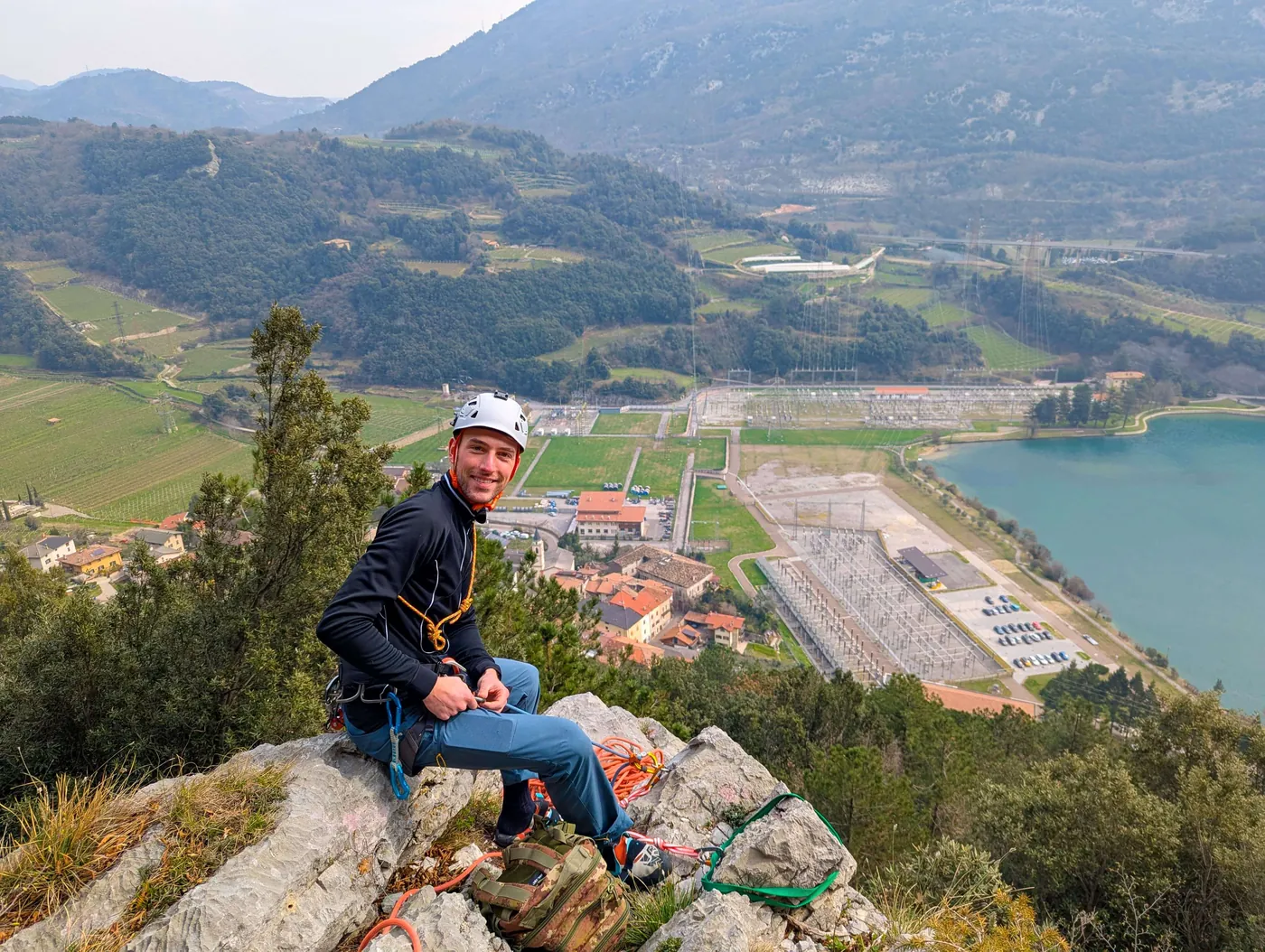
Edoardo, founder of ClimbAI, on a climb
Edoardo · Founder · Climber · PhD in computer vision for sports

Story

I was tired of plateauing.

Every climber knows the feeling. You project the same grade for months. You know you are strong enough, but something in your technique is off.

I filmed myself, watched the pros, tried harder. I still could not see what I was doing wrong: hips too far from the wall, feet cutting when they should not, the micro-adjustments a coach spots instantly. I was climbing blind.

As a PhD researcher in computer vision for sports, I knew I could build something. So I did. ClimbAI is the coach you need when you are stuck, built on published research and trained on thousands of hours of real climbing.

If you are frustrated with vague advice, cannot afford a coach, or just want objective feedback on what you are missing, this is built for you.

Where we are

Built by climbers, for climbers.

More than 700 climbers have registered so far. We also bring ClimbAI to the climbing community in person, with live demos at events such as Rock Master 2026.

700+registered climbers
Rock Master 2026stand and live demos
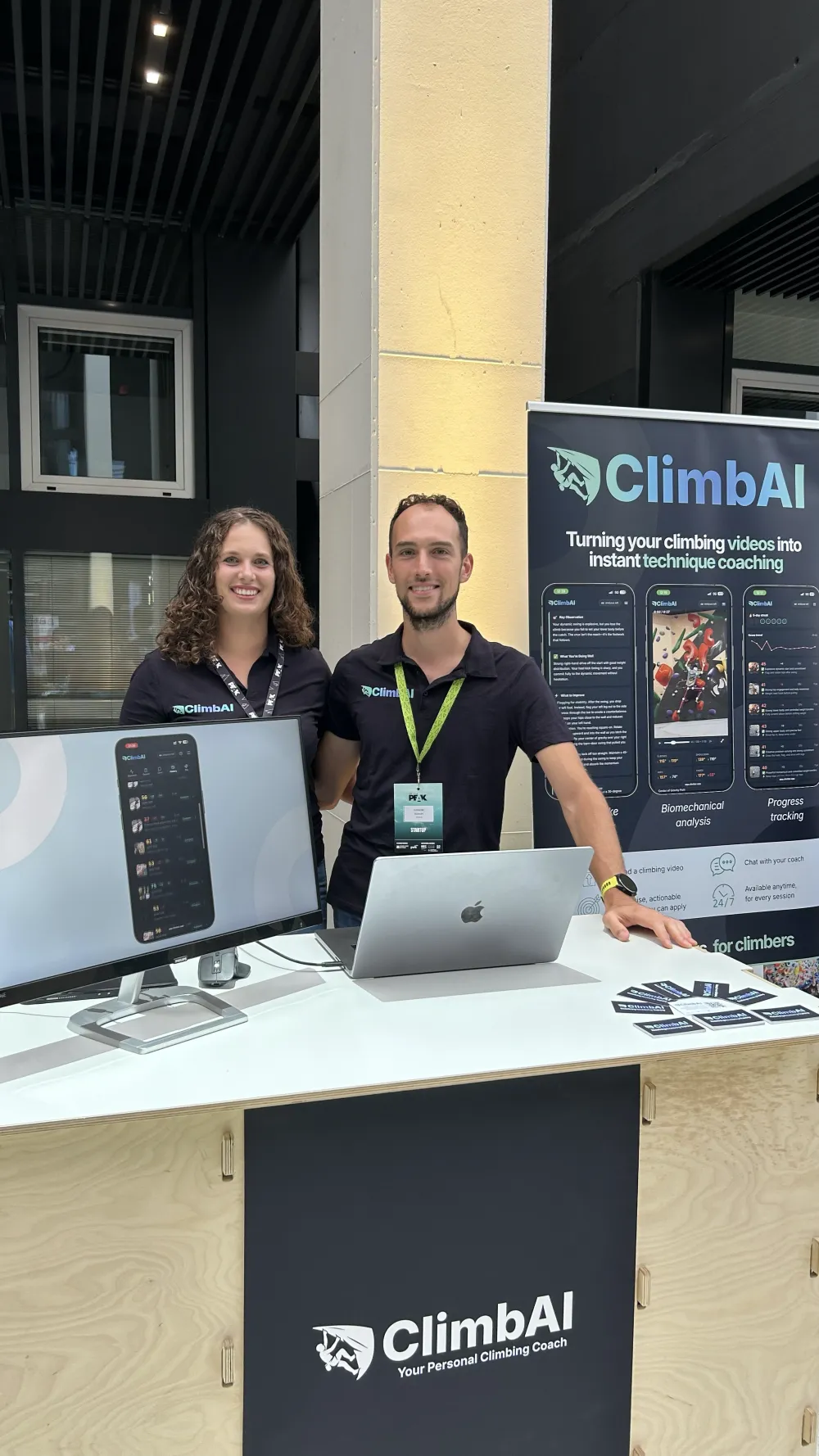
Two ClimbAI team members at the stand, with the app on a monitor and the roll-up behind them
The ClimbAI team at To The Peak
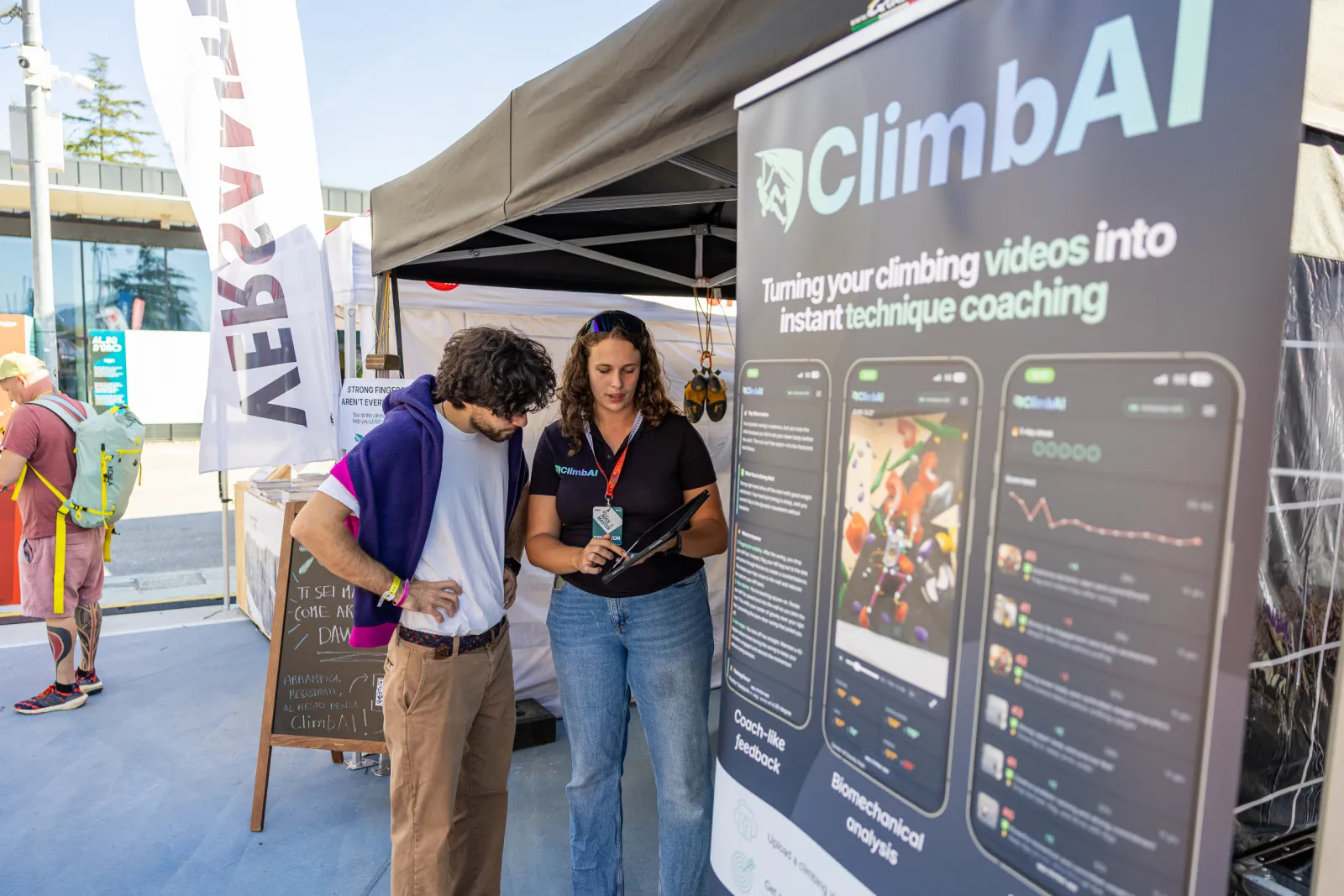
A ClimbAI team member shows an analysis on a tablet to a climber at the Rock Master 2026 stand
Live demo at Rock Master 2026
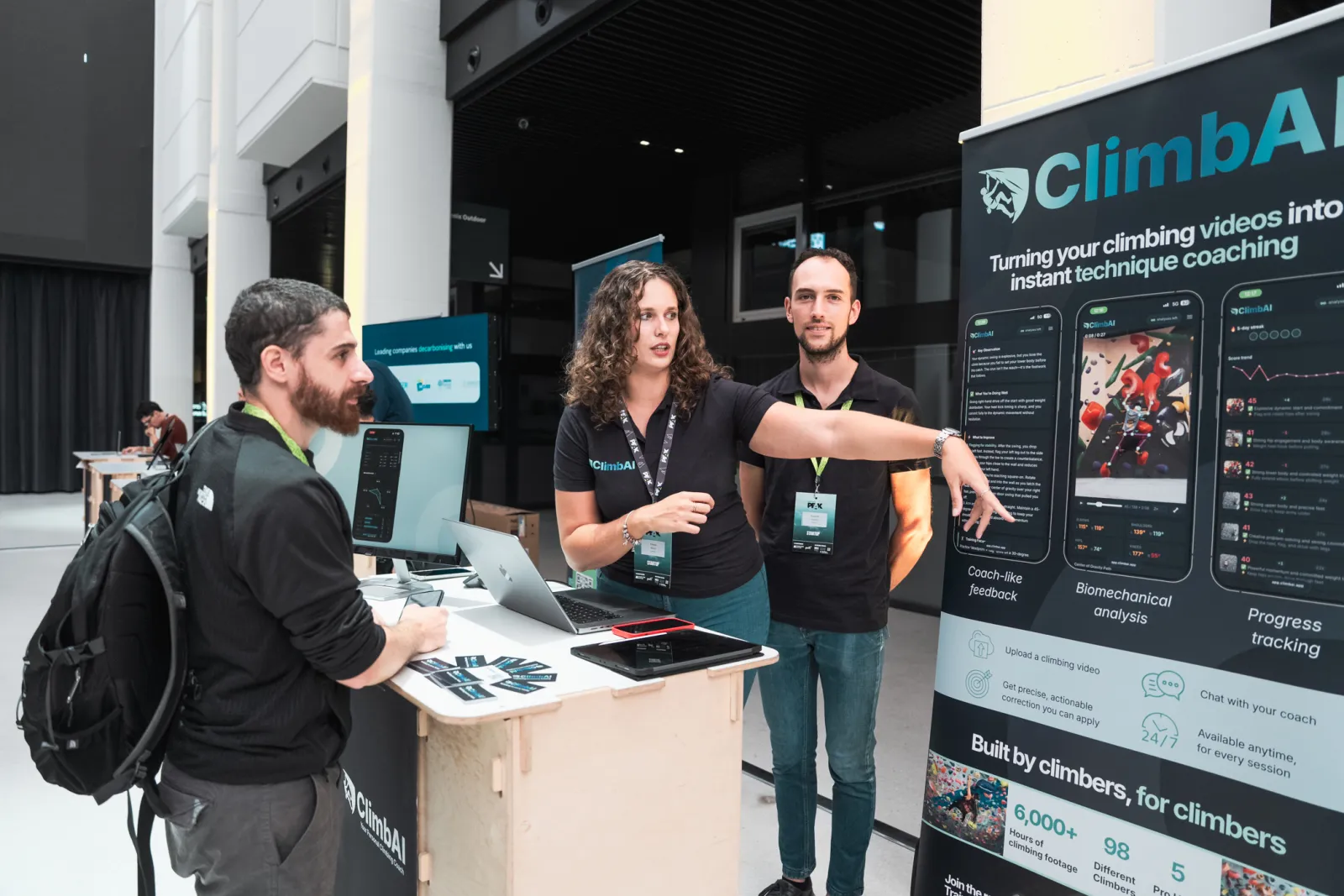
The ClimbAI team talks with a visitor at the To The Peak stand
Explaining an analysis at To The Peak

Ready to break your plateau?

Join 700+ climbers already training with ClimbAI. Create a free account, upload one climb and read your first analysis in about a minute.

Analyse my climb, free

Free to try · 18+ only · Privacy Policy

FAQ

Questions, answered.

ClimbAI measures your movement from the pose track and writes the feedback from those measurements. Every note says what it is based on, so you can judge it yourself. Like any analysis from video, it depends on a clear, steady, full-body recording, and it is a tool to inform your training, not a verdict.

Two components built by ALNEVIS: a vision-language model trained on climbing footage with coaching input, and a biomechanics engine that measures the body frame by frame. It is not a general chatbot with a climbing prompt. The methods are published in peer-reviewed venues.

ClimbAI finds the joints of your body in every frame of the video and follows them through the climb. From that track it computes joint angles, asymmetry, timing and the centre-of-gravity path, then writes the feedback and checks it against those numbers.

A phone video of your attempt with your whole body in view. A tripod, or a friend holding the phone steady, gives the best results.

Yes. Upload any clip from your gallery. You do not have to record it inside ClimbAI.

No. Analysing right after an attempt is useful because you can apply the feedback on the next go, but you can just as well review your videos at home.

No. ClimbAI gives you objective, technique-focused feedback whenever you need it, and it measures things a coach cannot see by eye. It complements a coach’s work, and it fills the gap when coaching is unavailable or too expensive.

You can try ClimbAI for free right now. Final pricing is not set yet, and early users will receive a discount when paid plans launch.

ClimbAI is built for bouldering, including training boards such as the Kilter Board, the MoonBoard and spray walls, and it is optimised for indoor climbing. Outdoor videos can be analysed too, but changing light, shadows and occlusions can affect the quality of the feedback.